

Top business apps for iOS


The latest boom in mobile technology is putting devices like Apple’s iPhone and iPad into the hands of business people, effectively handing them powerful tools to enhance their daily workflow.
Apple’s iTunes measures the reviews, purchases and downloads of all the apps in its application store, and formulates a list of top apps that have proven to be most popular, over all and per category.
While the exact formula used by Apple to rank apps is unknown, the rankings are determined by sales/downloads as well as other critera, such as trending, past sales performance and possibly even user activity. As such, this reflects a current “top apps” list as opposed to a cumulative (total sales/downloads over time) list.
Here are Apple’s top business apps* for iDevices as of 9 July 2012.
Top free apps
Free apps tend to move around the rankings a lot, as their “free” tag means users are more open to downloading and trying apps out. This leads to constant changes in the rankings; however, there are a few apps which stick to the top of the charts.
1. Adobe Reader [iPhone/iPad]
Developer: Adobe Systems Incorporated
Released: Oct 17, 2011 in Business
Adobe Reader is the reader of PDFs that we all know and love. It’s the free mobile version of the free reader software available on Mac and Windows PC, featuring the same functionality.
Adobe reader lets you read PDF files and interact with PDF files that have been designed to receive input (such as filling in forms). The reader is an official Adobe product.
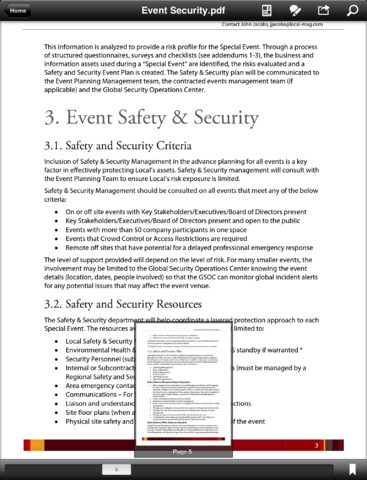
Adobe Reader
2. Dragon Dictation [iPhone/iPad]
Developer: Nuance Communications
Released: Dec 8, 2009 in Business
Dragon Dictation is a voice recognition app which always you to speak out whatever you would like to say in an email or text message.
The app developers claim that using your voice and their app will be up to five times faster than typing out on the keyboard. If you’re not one for public discretion and don’t mind looking somewhat crazy talking to your phone, it’s a great app for businessmen on the go.
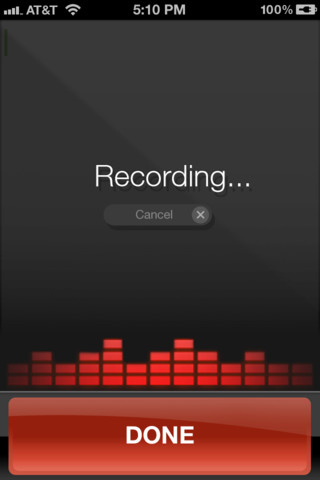
Dragon Diction
3. Citrix Receiver [iPhone/iPad]
Developer: Citrix Systems Inc.
Released: Apr 19, 2012 in Business
Citrix Receiver is an app designed to interact with a Citrix cloud network, giving you access to all the data stored in the cloud through a virtual network.
If your company uses Citrix to host applications, you can use Citrix Receiver to check your email, review documents, tune into project dashboards, and approve expenses from your iPad or any other device.

Citrix Receiver
4. Documents Free [iPhone/iPad]
Developer: Savy Soda
Released: Mar 4, 2009 in Business
Documents Free is a mobile office suite for the iPhone and iPad which allows users to edit and mange spreadsheet and text files on their devices.
The app works offline (ie without an internet connection) and once online also allows users to sych their documents with Google Docs.

Documents Free
5. QuickVoice Recorder [iPhone/iPad]
Developer: nFinity Inc
Released: Jul 11, 2008 in Business
Quickvoice is a voice recorder which is multi-tasking compliant, meaing one can use the app to record meetings, voice-notes or spur-of-the-moment ideas all while using the device for other things.
A new feature on the app is the ability to record ringtones – something which iDevices are notoriously restrictive about (in terms of format and length).

QuickVoice Recorder
Top paid apps
Paid apps, contrary to the free counterparts, involve a more thought-out approach to purchasing and downloading and, hence, reflect a more stable ranking pattern.
1. Quickoffice Pro HD [iPad]
Developer: Quickoffice, Inc.
Released: Jun 10, 2010 in Business
QuickOffice Pro HD is a comprehensive office suite for the iPad. At a price of $19.99, it’s one of the more expensive apps available, and you can expect a range of functionality with support for multiple formats.
The app features support for all Microsoft Office document, spreadsheet and presentation formats, as well as PDFs. Online provides cloud access, but the entire suite is functional offline as well.
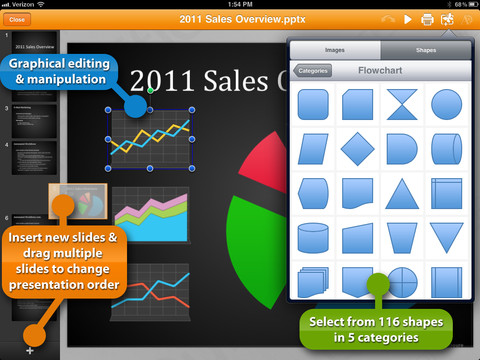
QuickOffice Pro HD
2. Scanner Pro [iPhone/iPad]
Developer: Readdle
Released: Oct 9, 2009 in Business
Available for $6.99, Scanner Pro turns your iPhone or iPad into a scanner. Using the device’s camera’s, Scanner Pro uses algorithms to enhance image quality and make it as readable as possible.
The app gives users tools to set custom dimensions, synch to iCloud, encrypt data and convert to PDF.
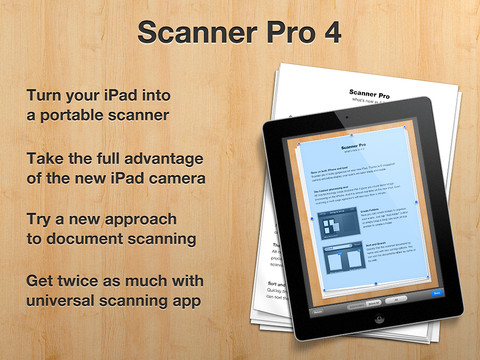
Scanner Pro
3. Splashtop 2 [iPad]
Developer: Splashtop Inc.
Released: Aug 27, 2010 in Business
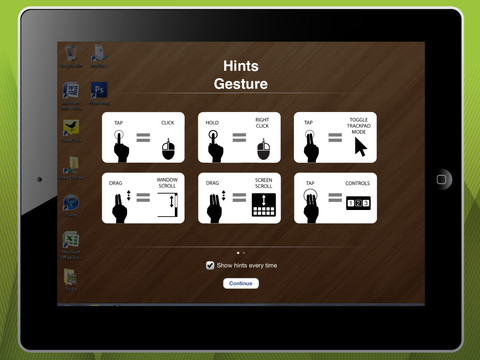
Splashtop is a remote desktop app for iPad, which, for $1.99, allows you to access your Mac or Windows PC from anywhere you’re connected to the local network.
The app works through installing the Splashtop Streamer onto your computer and logging into the network. After that, your iPad can then stream media, play games and browse the content on your PC.
Through an in-app purchase ($0.99 for a month or $9.99 for a year), you can access your PC’s content and features from anywhere you have a connection (including via 3G/4G).
Splashtop 2
4. CamCard HD [iPad]
Developer: IntSig Information Co.,Ltd
Released: Jun 4, 2012 in Business
Businessmen come across a lot of new faces in their travels, and usually these faces have a business card to hand over. CamCard HD is a business card capturing app that snaps a shot of the business card in question and recognises, processes and stores the person’s details.
The app boasts its capture technology, refining features and various language support – but at it’s core, it’s a cool way to store information from something you’d likely put in a drawer somewhere.
The app is currently going for $7.99.

CamCard HD
5. Documents Unlimited PDF & Office [iPad]
Developer: Appsverse Inc.
Released: Apr 9, 2012 in Business
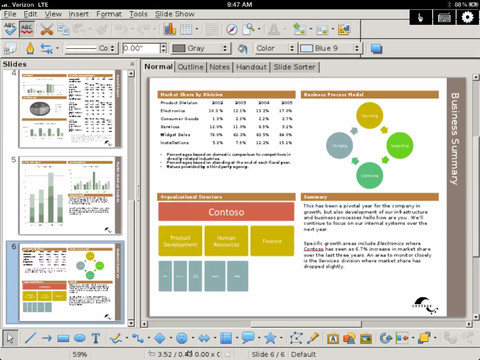
An alternative to the more expensive QuickOffice Pro, at $4.99 Documents Unlimited also gives you access to various Microsoft Office formats, as well as Open Document formats and various graphics formats.
Documents Unlimited is cloud-based and thus requires users to be online for its editing features. Additionally, the developers have offered a disclaimer saying that PDF import is not perfect, and that combatibility issues may arise when trying to open certain documents.
Documents Unlimited
*Apps taken from within the iTunes App Store app; store used: US iTunes store (accessed 9 July 2012).
Related articles
FireFox smartphone OS to take the fight to Android
Standard Bank app cruising to 15k downloads


















 Loading ...